Renew Git Token in GitHub:
Remember:
Do this before you renew the token in Vercel.
How to:
-
Go to https://github.com and sign in.
-
Click Your icon.
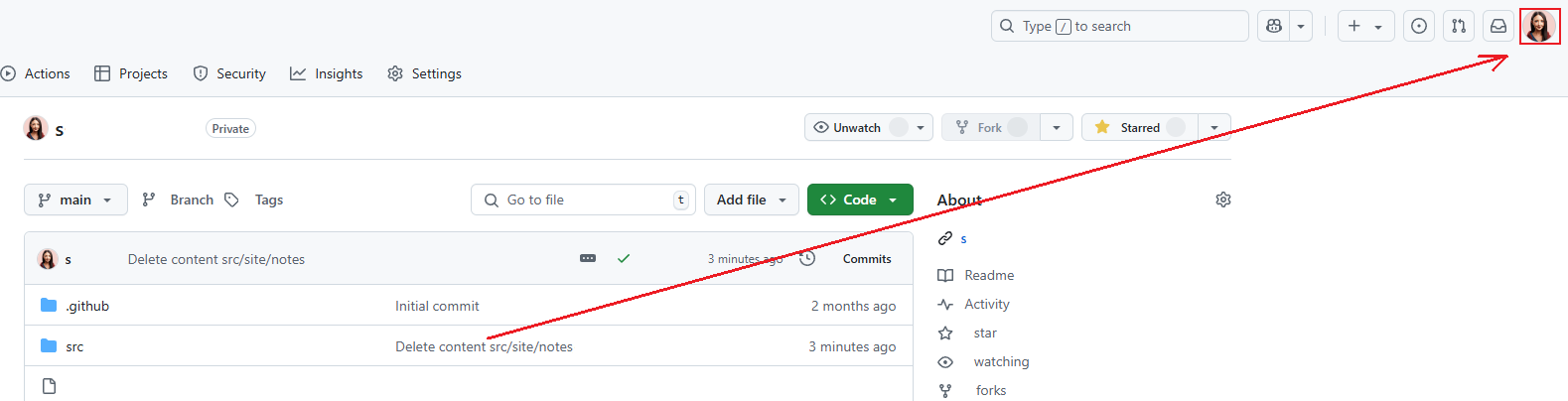
-
Then make sure you are in Settings.
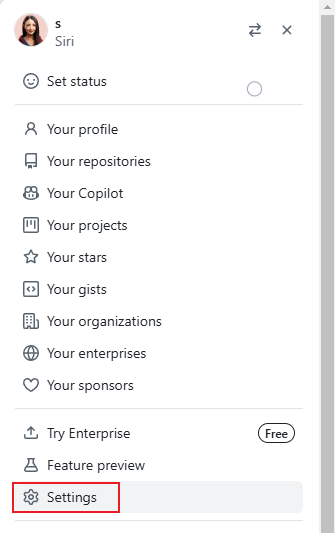
-
Then ==click Developer Settings=.
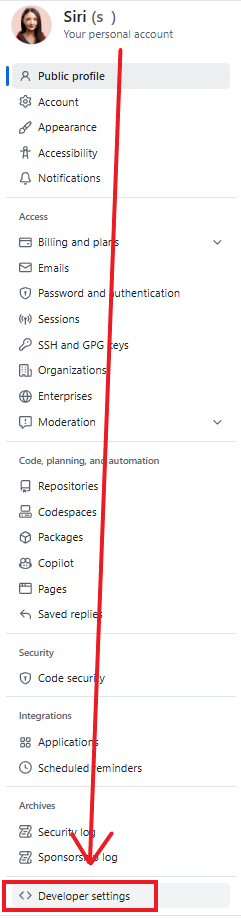
-
Then Personal Access Token, Tokens and Generate new token.
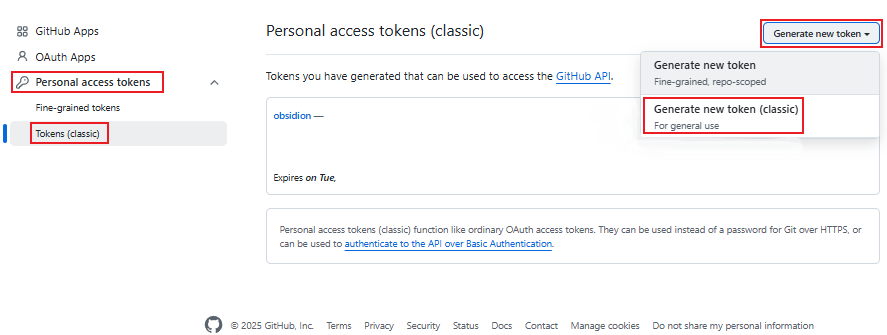
-
SAVE the token somewhere safe!
And you are done! 😄